
Recognizing common warning signs can help you decide when it’s time to upgrade your phone

A smartphone that once handled everything smoothly may eventually become slow, unreliable, or frustrating to use. From dwindling battery life to repeated software crashes, signs of aging tech often sneak up over time. Ignoring the warning signals can lead to missed calls, lost data, or even safety concerns. Knowing what to watch for can help you weigh whether repairs make sense or if a new device is the smarter option.
1. Battery life barely lasts through the day without charging twice.
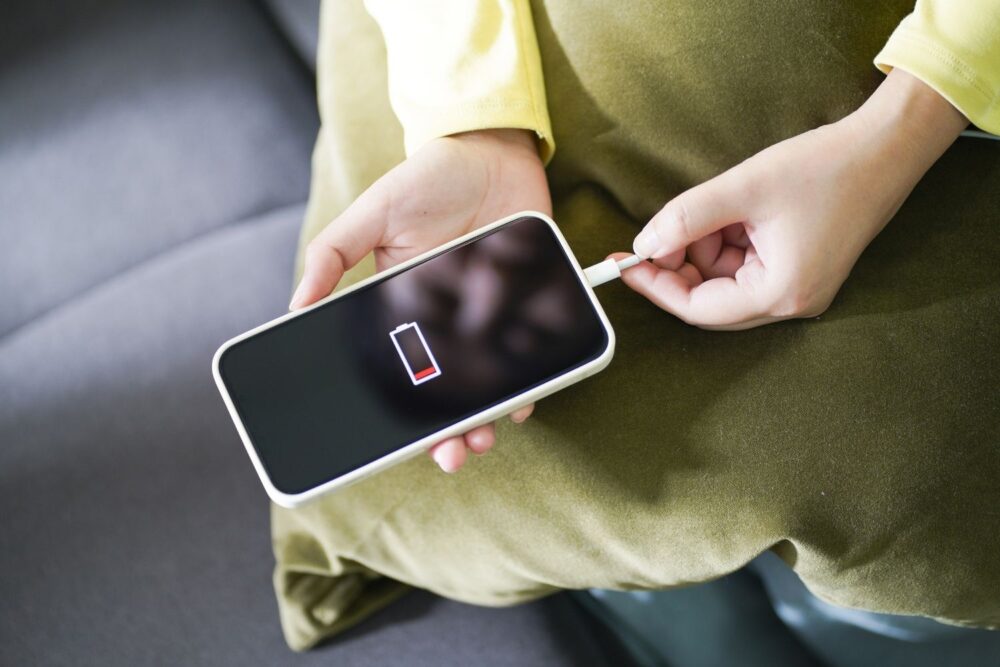
Modern lithium-ion batteries gradually lose capacity after hundreds of charge cycles. If your phone needs topping up by midafternoon despite light use, the battery may be nearing the end of its functional life. Fatigue in the material causes slower charging and shorter runtime.
Eventually, power management fails to calibrate properly, leading to sudden shutdowns or rapid drains from 40 percent to zero. A morning commute with podcasts and maps can shrink your charge much faster than expected, prompting a second plug-in long before bedtime.
2. Apps crash regularly and updates no longer download properly.

App crashes can reflect underlying issues with software compatibility or memory limits. As operating systems evolve, older hardware may struggle to process updated app features, leading to freezes or force closes. App icons may linger on the screen while the system stalls silently.
Repeated download failures or missing updates also indicate aging firmware support. A phone on its last update cycle may start skipping routine upgrades altogether, leaving security holes and making newer apps incompatible over time even if they’re installed successfully.
3. The screen is cracked, dim, or unresponsive to touch.
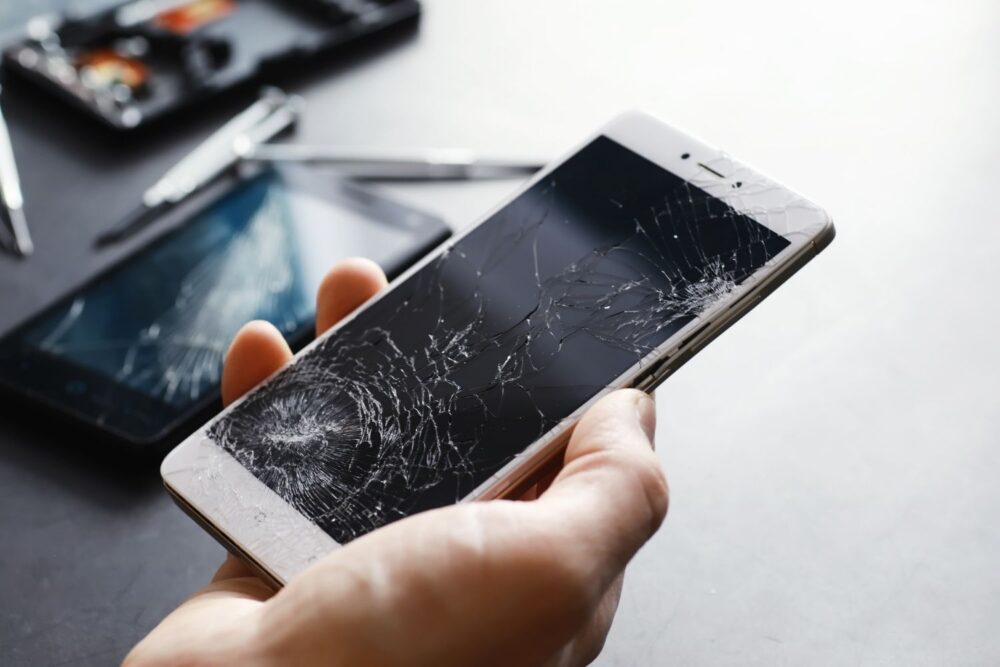
Glass screens not only display sharp images but also serve as the main input surface. When cracked, they can lose touch sensitivity in patches or show ghosting—random touches that register without contact. A single split line can spread like a dry leaf’s vein under stress.
A dim panel or sluggish response turns basic actions—typing, scrolling, or opening apps—into frustrating rituals. Glare increases, especially under sunlight, and some displays may flicker subtly, creating a persistent sense of strain or motion blur during casual browsing.
4. You’ve run out of storage and can’t delete anything else.

Smartphones allocate internal storage for apps, photos, and operating system files. When the space fills completely, background processes pause, updates fail, and even camera snapshots may refuse to save. A full phone can feel like a cluttered drawer that won’t close.
Deleting music or old texts may only free up temporary slivers, especially when system files consume fixed amounts. Over time, app caches or unseen messaging data compound quietly, eating away storage faster than expected—especially on devices that launched with smaller memory capacities.
5. The camera quality has noticeably declined compared to newer models.

Camera software relies on hardware sensors to capture crisp detail and realistic color. When those parts age, images may appear faded, slow to focus, or riddled with noise in normal lighting. A yellow-tinged wall or blurry pet photo reveals the shift clearly.
Comparing snapshots with a newer phone can underscore the gap—especially in portrait mode, night shots, or video quality. Grainy edges, washed-out skies, or muted hues signal that the camera hardware, once groundbreaking, simply can’t keep up with current expectations for mobile photography.
6. Calls drop often and sound quality feels muffled or distorted.

Dropped calls and distorted audio often come from worn antennas, software glitches, or degraded microphones and speakers. Inconsistent signal bars or background hissing during conversations may mean the problem isn’t your service provider. Voices may sound like underwater murmurs.
Even in areas with strong reception, poor call quality can persist if components no longer process signals clearly. Commuters might notice one-sided calls on trains, while at-home users may find Bluetooth disconnects common, suggesting broader network or hardware wear underneath regular daily use.
7. The phone heats up quickly, even during light use or standby.

Smartphones produce heat during use, but efficient chips and cooling systems normally prevent discomfort. When a phone feels hot doing simple tasks, like reading email or scrolling social media, it signals inefficiency behind the scenes. Metal backs may feel warm straight from a pocket.
Silent background apps or battery strain may generate excess heat, but aging processors can also work harder just to run current software. A hot phone doesn’t just feel odd—it may throttle performance, slow animations, and accelerate long-term damage to internal components.
8. Charging takes much longer than it used to even with a new cable.

Charging times depend on cable condition, software regulation, and battery performance. When those align, a depleted phone returns to full in under two hours. But when a charge takes nearly double—even with a new cord—the battery’s internal resistance may have increased.
Some models reduce current flow to preserve battery health, especially when sensors detect heat. Still, if overnights no longer guarantee a full charge or slight movements interrupt charging altogether, the problem often lies deeper than visible cables or dust inside the port.
9. New accessories or devices aren’t compatible with your current model.

Accessory makers often shift their designs with each generation of phones. When your model no longer syncs with newer earbuds, smartwatches, or car interfaces, it’s often because the phone lacks required firmware or updated connection protocols. A smartwatch may refuse to pair altogether.
Beyond cables and cases, compatibility gaps hint at a broader pattern of software and hardware lag. As ecosystem features grow—like audio sharing or message syncing on wearables—older phones lose access, not through malfunction, but because their systems simply stop speaking the right language.
10. The phone restarts randomly or freezes during basic tasks.

Unexpected restarts interrupt even routine tasks like texting or checking the weather. These reboots are more than annoyances—they reflect core system instability, often tied to corrupted memory, worn batteries, or outdated processors. Screens may go black just as you open a map.
Basic reliability falters when the phone can’t sustain a consistent operating environment. Startup loops or frozen screens signal creeping failure, where even turning the phone on becomes uncertain. It’s not just inconvenient; it undermines any task that relies on timing or continuity.