
A clutter-free digital life is just a few quick fixes away.

Most people don’t realize how much digital clutter is draining their time, focus, and even storage space. Old emails, endless notifications, unused apps, and forgotten files pile up fast, making it harder to stay organized and productive.
The good news? You don’t need hours to fix it. Small, intentional changes—ones that take 10 minutes or less—can clean up your devices, streamline your workflow, and make your digital world feel lighter.
These quick tricks aren’t just about deleting junk; they help you regain control of your online space so that your devices work for you, not against you. If your phone, laptop, or inbox feels overwhelming, here are the best ways to declutter fast and keep things organized for good.
1. Clearing out unused apps frees up space and improves performance.

Unused apps pile up fast, taking up storage, draining battery life, and cluttering your screen. Many also track data and send constant notifications, adding to digital noise you don’t need. If an app hasn’t been opened in months, it’s time to let it go.
Once you review the apps on your device, remove anything that no longer serves a purpose. If an app seems useful but is rarely opened, consider using a web version instead. Ismar Hrnjicevic with How to Geek, states that freeing up space allows your device to run faster and improves overall efficiency.
2. A clutter-free inbox starts with fewer unread messages.

Thousands of unread emails make it harder to find what matters, leaving important messages buried under junk. Subscription emails, promotions, and forgotten newsletters clog inboxes quickly, turning email into an endless to-do list.
Sorting messages by sender or subject line helps speed up the cleanup process. Leo Babauta for Zen Habits reveals tips to destress your email including delating emails in one go creates instant breathing room in your inbox. A few well-placed filters will also prevent unnecessary messages from piling up again.
3. Screenshots and downloads pile up faster than you think.

Old screenshots and downloaded files often sit untouched, cluttering storage and making it harder to find what’s actually useful. Without regular cleanup, these folders become digital junk drawers filled with outdated files.
Max Eddy at The New York Times explains that the best way to clear storage quickly is by starting with the “Downloads” and “Screenshots” folders. After deleting anything unnecessary, move important files into properly labeled folders. Making this a habit prevents future digital mess.
4. A desktop full of random files isn’t helping productivity.

Endless icons covering your desktop create visual clutter and slow down navigation. Searching through a sea of files for one document wastes time and adds unnecessary frustration.
Grouping related files into folders makes organization effortless. After removing unnecessary items, only essential shortcuts should remain. A clean desktop improves workflow by reducing distractions.
5. Social media should add value, not overwhelm your feed.

Mindless scrolling isn’t just a time sink—it also floods the brain with unnecessary information. Overloaded feeds make it harder to focus on meaningful content, turning social media into a source of stress instead of enjoyment.
To create a more intentional experience, remove accounts that no longer align with your interests. Setting limits on notifications will also help reduce distractions. A well-curated feed turns social media into a tool instead of a distraction.
6. Turning off unnecessary notifications reduces distractions.

Constant alerts pull attention away from what actually matters. Every ping and pop-up adds to digital noise, making it harder to focus throughout the day.
A quick review of notification settings makes a big difference. Disabling nonessential alerts helps keep your phone from becoming a constant source of interruption. Once distractions are minimized, it becomes easier to stay present and focused.
7. Weak passwords and forgotten logins create more headaches than security.

Keeping track of dozens of passwords often leads to using the same weak login across multiple accounts. This habit increases security risks while making it harder to manage online accounts.
A password manager offers an easy solution by generating and storing strong, unique logins. Deleting old accounts that are no longer in use also strengthens security. Making these adjustments now prevents major frustrations later.
8. A simplified home screen makes navigating your phone easier.

Endless pages of apps make finding what you need frustrating. A crowded home screen slows down navigation and adds unnecessary complexity to daily phone use.
Start by moving the most-used apps to the first page while grouping similar ones into folders. Removing excess icons helps create a cleaner, more efficient layout. A well-organized home screen saves time and makes everyday tasks feel effortless.
9. Cloud storage isn’t unlimited, so regular cleanups matter.

Forgotten files in cloud storage accumulate quickly, leading to unnecessary backups, duplicate files, and wasted space. Instead of storing everything indefinitely, a quick cleanup ensures only important files remain.
Most cloud services offer built-in tools to identify large or duplicate files. Taking advantage of these features speeds up the process of reclaiming space. Keeping cloud storage tidy prevents unexpected storage limits down the line.
10. A web browser runs faster without unnecessary add-ons.

Excess browser extensions, outdated bookmarks, and stored cookies slow down internet browsing. Over time, unnecessary add-ons clutter the experience, making even simple web searches feel sluggish.
Disabling unused extensions instantly improves speed. Clearing old bookmarks keeps only relevant links within reach. Keeping a browser lean makes web navigation much smoother and more efficient.
11. Streaming service queues should be filled with shows you actually plan to watch.

An overloaded watchlist makes it harder to pick something to watch. Too many options create decision fatigue, leading to endless scrolling instead of enjoying content.
Removing outdated recommendations prevents unnecessary clutter. Organizing favorite shows into lists tailored to different moods makes browsing easier. A clean watchlist ensures less time searching and more time watching.
12. Old messages and group chats don’t need to stick around forever.

Text messages and chat threads build up, taking up space and cluttering the main inbox. Large attachments, old group chats, and outdated conversations make it harder to find relevant messages.
Most messaging apps allow for bulk deletions, making cleanup quick. Archiving important conversations instead of keeping everything visible creates a more manageable inbox. Keeping only active threads makes communication faster and more streamlined.
13. A well-maintained digital calendar keeps life organized.
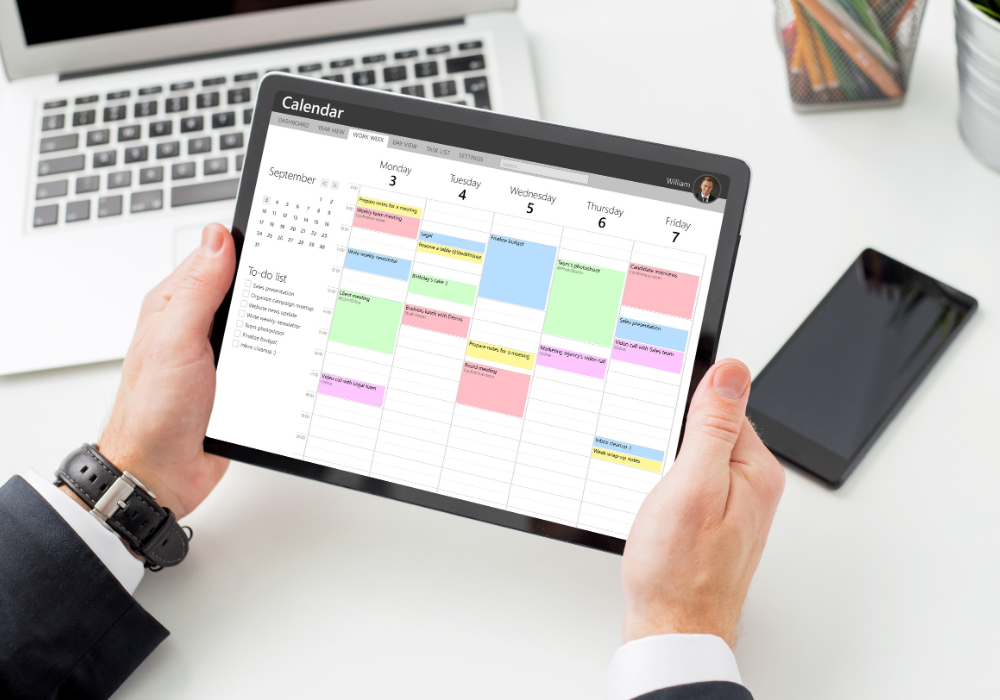
Calendars packed with old events, duplicate reminders, and unnecessary subscriptions make planning more complicated than it needs to be. Instead of helping with time management, a cluttered calendar becomes another source of stress.
Take time to delete past events and clean up duplicate reminders to make future scheduling easier. Removing unnecessary calendar subscriptions helps focus on only the most relevant appointments. A well-maintained calendar ensures planning stays simple and efficient.